
And then the yard is on the map.
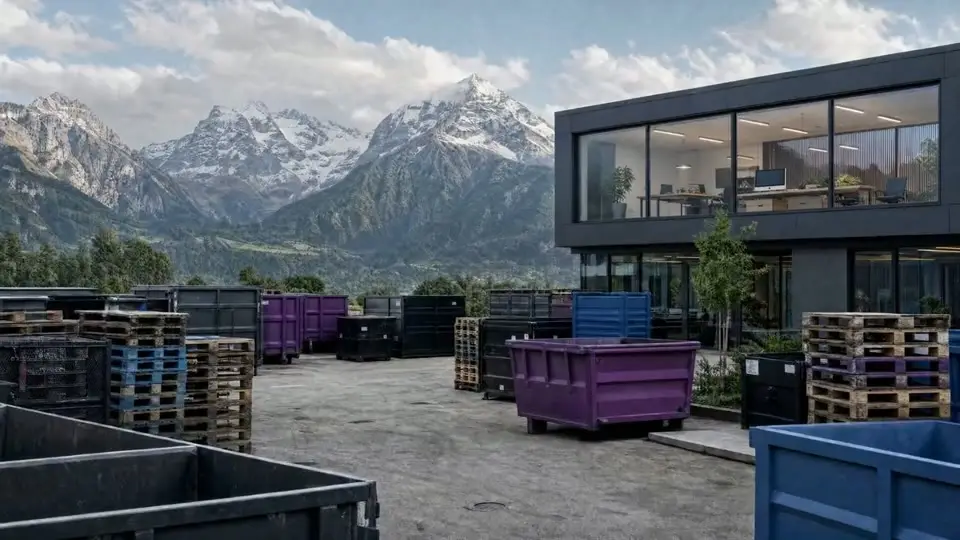
The same skips, containers and pallets – now with position, time and battery level.

 Asset tracking by mobileObjects
That question costs work and time every day. mOAssets answers it on a map – for skips, containers and objects of every kind.
Scroll
And then the yard is on the map.
The same skips, containers and pallets – now with position, time and battery level.
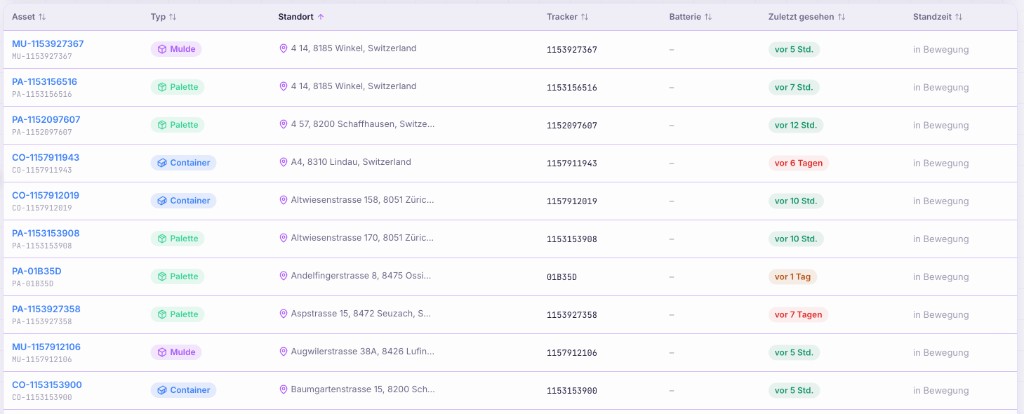
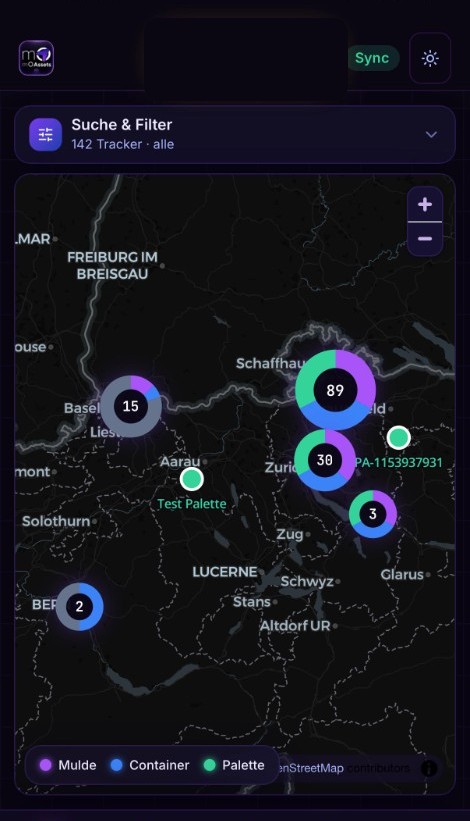
The whole inventory on one screen.
Clusters show where things gather. A site can quickly mean a thousand devices – the map stays readable.
The cluster becomes objects.
Skip, container, pallet – and trackers without an asset. The colour means the same thing across the app.
±15 m. Measured, not promised.
Each device gets its own value from its own scatter. Green, amber, red: you know how closely you are looking.
Twelve days in the same place.
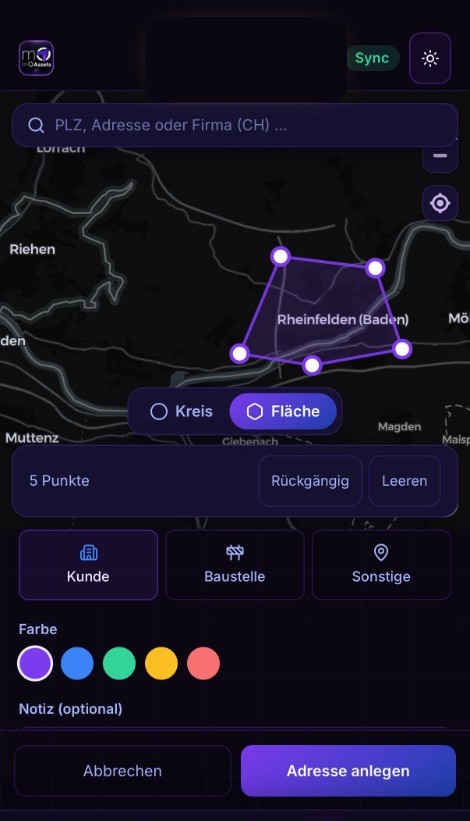
Draw zones for the yard, a customer or a site – with entry, exit and duration. That is the answer to “since when”.
mOAssets locates objects, not vehicles. The principle is the same for all three sizes.
01
Order the number of tags you need. Your order usually ships the same working day.
02
Stick or screw the tag onto the object. No power, no wiring, no setup on the device itself.
03
The tag reports via the Android and iOS devices that pass by every day – with position, time and battery level.
Every model has the same service price: each tag costs from CHF 1.– per month. That includes the web app, the locating service and every function. All models share the same feature set. Only size, battery life and the one-off purchase price differ.
Assets can be located or queried up to 500 times a day – close to continuous site awareness.
The asset list in night mode and in light mode.
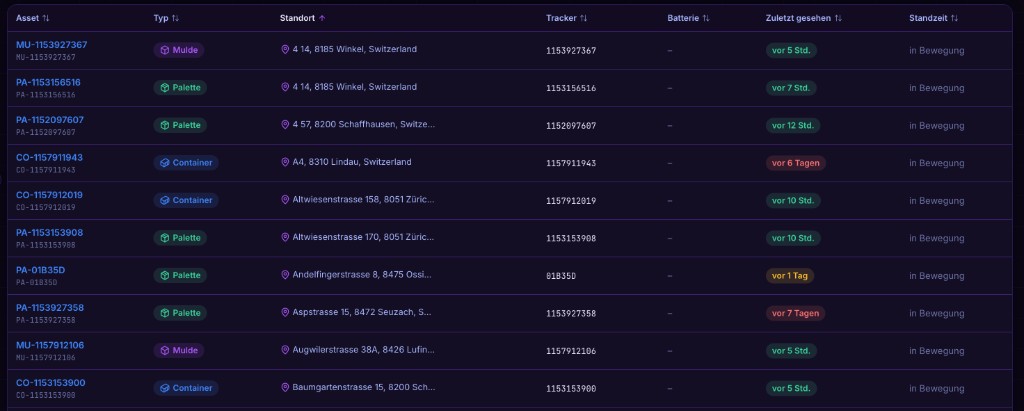
As you scroll, the red line pulls light mode across.
Sample data from the app. moassets.ch – Toggle in settings.
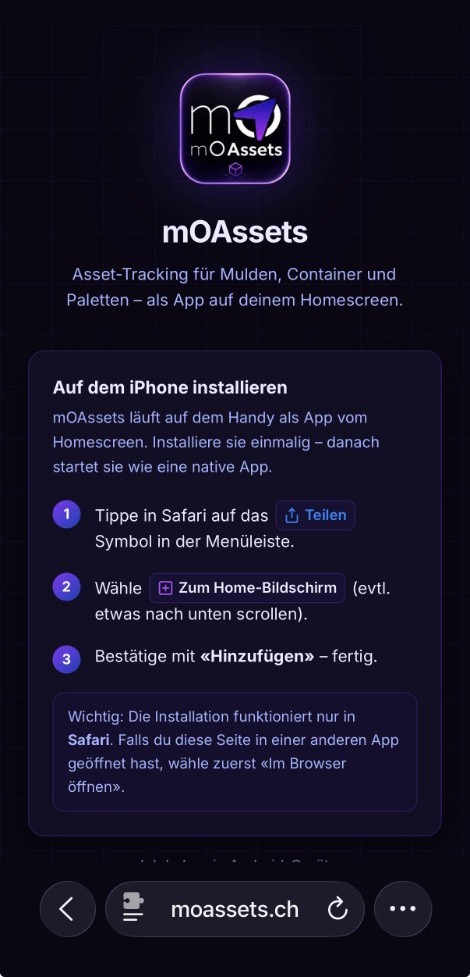
The web app runs on any smartphone with internet – no App Store listing of its own. Open it once, add it to the home screen, done.
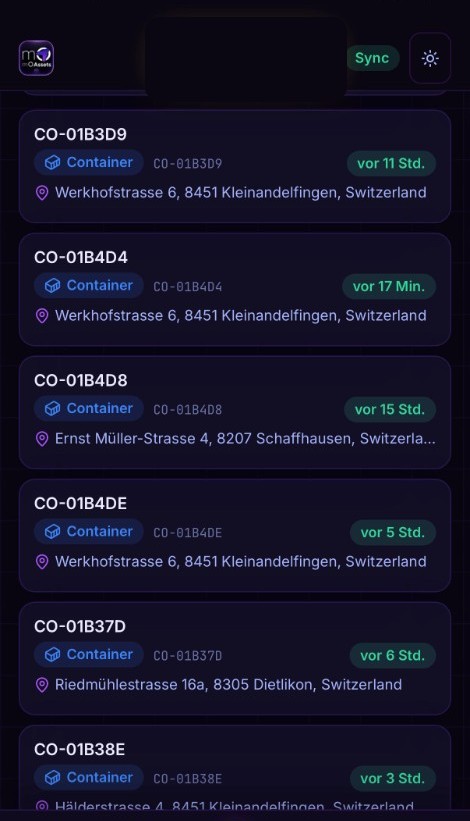
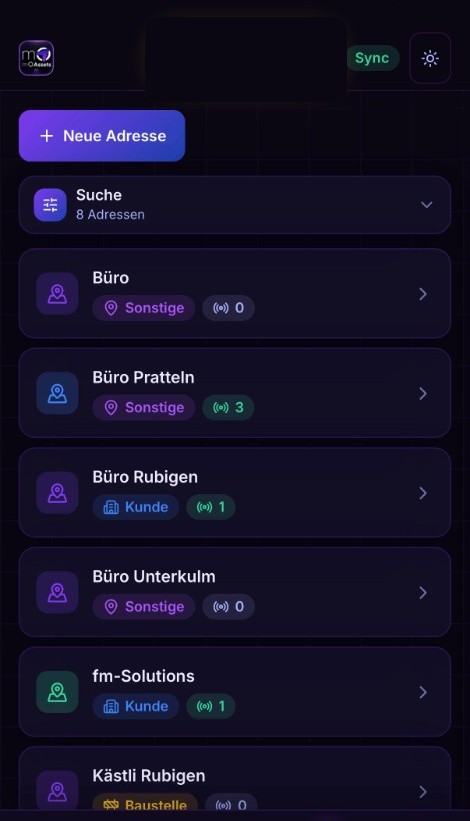 SettingsSync
StepHome screen
Scroll or tap the menu below – scrolling up or tapping back goes the other way.
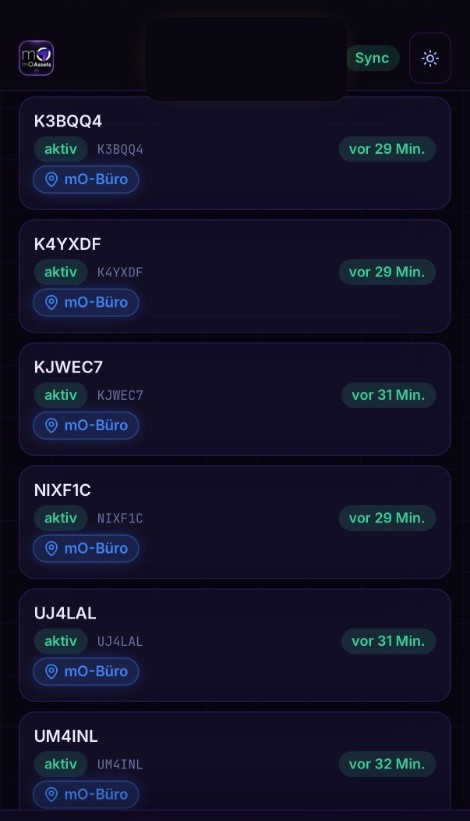
Screenshots from the app. moassets.ch
Tracker detail
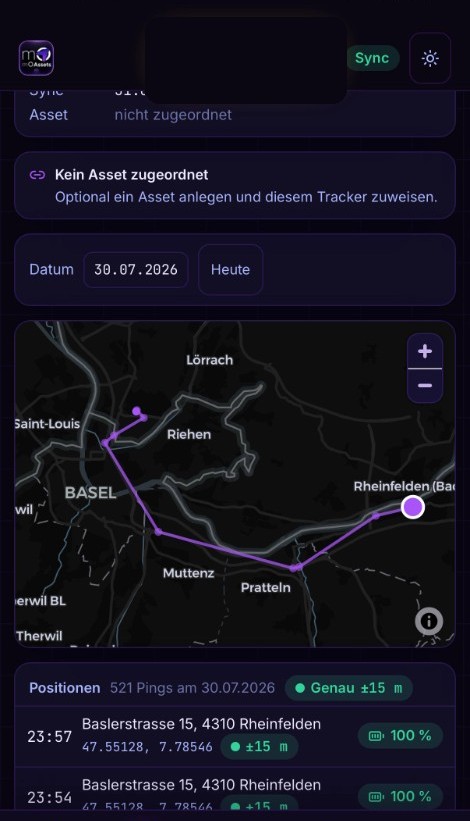
Tap a tracker: the day’s trail sits on the map, and below it every report with time, address and accuracy.
Addresses & zones
Create addresses and areas – for reports on places and dwell times. Especially on sites and at customers: which objects stand where, and for how long.
Tell us how many objects you want in view. We will get back to you promptly with an offer.